
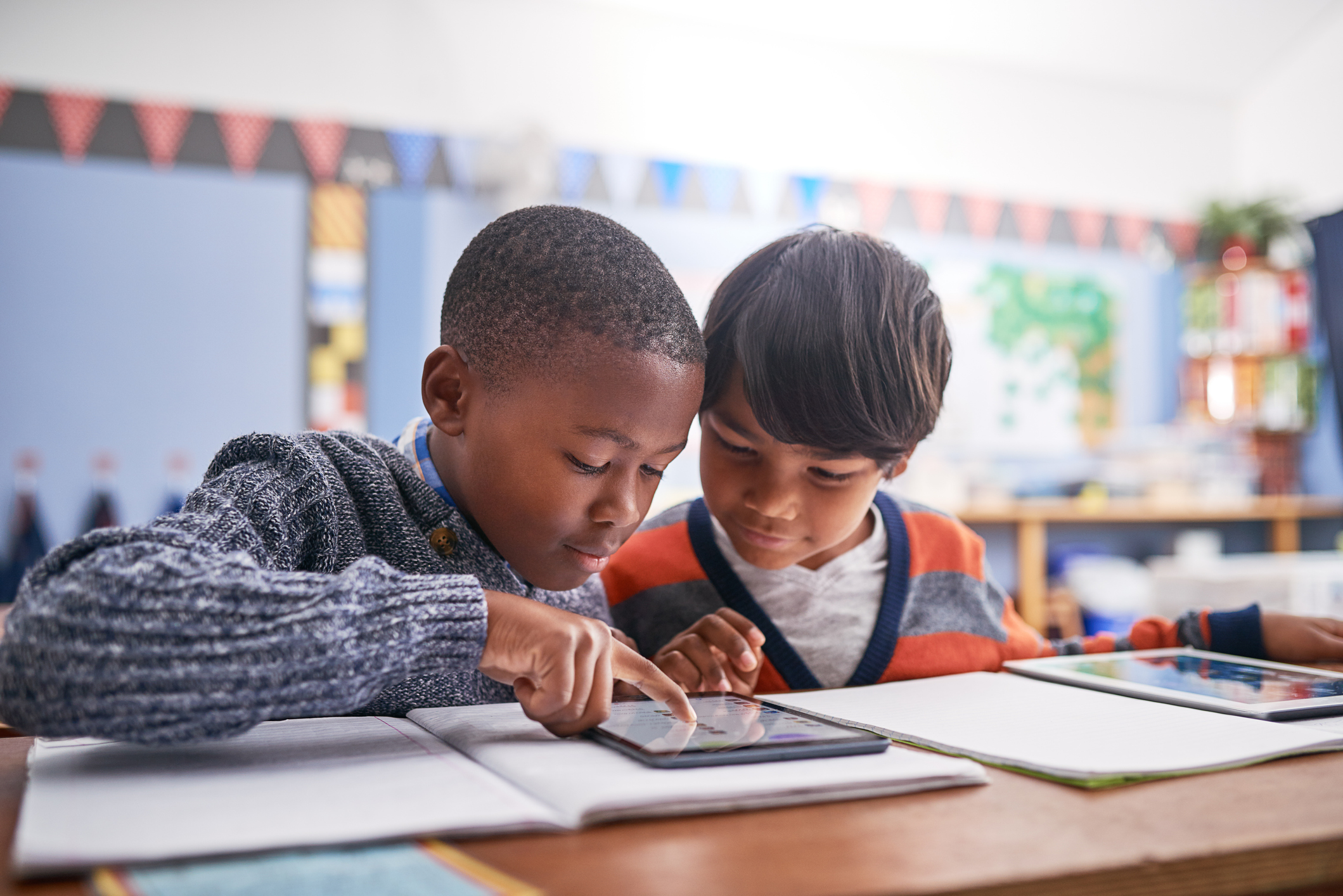
iPads in elementary schools – how young is too young? Technology has become an essential part of modern classrooms, and iPads continue to be one of the most popular mobile devices used by elementary school students. When thoughtfully implemented, iPads have the power to transform instruction, encourage creativity, and support every student’s unique learning journey. However, like any educational tool, success depends on how schools approach technology integration, teacher support, and classroom management.
Whether your district is considering adding iPads alongside Chromebooks or expanding an existing program, understanding both the benefits and challenges can help educators make informed decisions.
The Benefits of iPads in Elementary Classrooms
One of the biggest advantages of iPads is their flexibility. Unlike many other digital devices, they offer students countless ways to interact with lessons through touch, voice, video, and creative applications. This versatility makes them an excellent fit for younger learners who often benefit from hands-on experiences.
Today’s educational apps cover nearly every subject area, helping students strengthen literacy skills, improve numeracy, practice problem-solving, and explore creativity. iPads in elementary classrooms provide access to interactive activities that keep students engaged while allowing teachers to reinforce classroom concepts in meaningful ways.
Many schools also use iPads to promote personalized learning. Students can work at their own pace, revisit lessons when needed, and receive instruction tailored to their individual strengths. This approach supports multiple learning styles and encourages greater student engagement throughout the school day.
Supporting Accessibility for Every Learner
One area where iPads in elementary schools truly shine is the accessibility that they provide. Built-in accessibility features help create a more inclusive classroom for all students, including those with special needs.
Features such as text-to-speech, voice control, guided access, screen magnification, and speech recognition allow students to participate more independently. These tools not only improve classroom access but also help build confidence and support long-term child development.
Teachers can also incorporate multimedia assignments that allow students to demonstrate understanding through photos, audio recordings, drawings, or videos.
Interactive Learning Improves Student Engagement
Students often learn best when they’re actively involved in the lesson. iPads in elementary classrooms support interactive learning by allowing students to manipulate digital content, complete collaborative activities, and receive real-time feedback from educational platforms.
Many classrooms use multimedia apps for storytelling, science experiments, coding, digital art, and presentations. These experiences encourage creativity while making abstract concepts easier to understand.
Teachers can also facilitate collaborative learning through shared projects, digital whiteboards, and classroom management platforms that encourage students to work together regardless of ability level.
Challenges Schools Should Consider
While iPads in elementary schools offer numerous educational advantages, schools should also plan for potential challenges before launching or expanding a one-to-one initiative.
Managing Screen Time
One of the most common concerns among educators and parents is excessive screen time. Technology should support instruction and not replace hands-on learning, outdoor activities, classroom discussions, or social interaction.
The most successful schools create balanced schedules that combine digital instruction with traditional teaching methods, ensuring technology complements strong pedagogy rather than driving it.
Classroom Management
Without clear expectations, iPads in elementary classrooms can easily become a distraction. Schools should establish age-appropriate technology policies that teach students responsible device use while minimizing off-task behavior.
Teaching digital citizenship early helps students understand online safety, respectful communication, responsible internet use, and appropriate handling of school-owned devices.
Professional Development Makes the Difference
Even the best technology cannot replace effective teaching. Ongoing professional development helps educators feel confident using iPads as instructional tools rather than simply digital replacements for paper.
Successful districts invest in regular teacher training sessions that focus on meaningful classroom implementation, instructional strategies, and integrating technology into existing curriculum goals.
Many schools also encourage continuous professional learning through peer collaboration, workshops, and instructional coaching. When teachers share ideas and best practices, students benefit from more engaging and effective lessons.
Do iPads Improve Academic Achievement?
Research continues to show that technology alone does not automatically improve academic achievement. Instead, student success depends on thoughtful implementation, effective instruction, and intentional use of digital tools.
When combined with strong teaching practices, engaging educational technology, meaningful assessment, and opportunities for individualized learning, iPads can become valuable instructional resources that help students develop critical thinking, creativity, collaboration, and digital literacy.
Best Practices for iPads in Elementary Schools
Schools that see the greatest success with iPads typically follow several key strategies:
- Align technology use with instructional goals rather than using devices simply because they’re available.
- Provide ongoing teacher training and professional development throughout the school year.
- Teach digital citizenship from the earliest grades.
- Balance screen time with hands-on activities and face-to-face collaboration.
- Utilize accessibility features to support all learners.
- Incorporate personalized learning opportunities for different learning styles.
- Invest in reliable IT support and mobile device management.
- Regularly evaluate how technology is impacting student engagement and learning outcomes.
iPads – Yay or Nay?
Unfortunately, the answer isn’t as black and white as we may like it to be.
When implemented with clear instructional goals, ongoing teacher support, and age-appropriate expectations, iPads can be powerful tools for learning. They can increase student engagement, support personalized instruction, improve accessibility, and help students build essential digital literacy skills. However, they should complement, and not replace, hands-on activities, face-to-face collaboration, and traditional teaching methods.
In regards to EdTech, success isn’t measured by how many devices are in the classroom, but by how intentionally the devices are integrated into instruction. With the right balance of technology, pedagogy, and support, iPads can become a valuable part of a well-rounded learning environment that prepares students for both the classroom and the future.
Need an iPad repair? Set up an order today!