
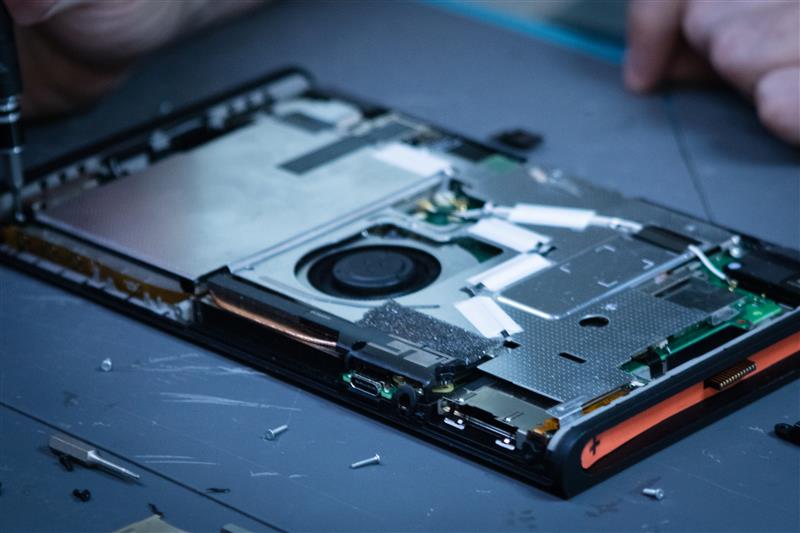
The Nintendo Switch™ is designed to be flexible. Whether you’re playing at home, taking your console on a road trip, or bringing it over to a friend’s house, its portable design makes gaming easy almost anywhere. But that portability also means your console can experience more wear and tear than a traditional home gaming system.
With a little regular care and maintenance, you can help keep your Nintendo switch running properly and reduce the chances of common problems like overheating, charging issues, damaged ports, cracked screens, and worn-out controls.
Keep Your Nintendo Switch™ Clean
Dust, dirt, food crumbs, and other debris can find their way into your console surprisingly easily. Over time, buildup around vents, ports, buttons, and other openings can interfere with normal operation.
- Use a soft, dry microfiber cloth to gently wipe down the exterior of your Nintendo Switch and Joy-Cons.
- Avoid spraying cleaning products directly onto the console. Excess moisture can make its way into openings and potentially damage internal components.
It’s also a good idea to periodically check the charging port and other openings for visible debris. Never force an object into a port to remove buildup as this can bend or damage delicate components.
Protect the Screen
The touchscreen is one of the most frequently handled parts of the Nintendo Switch, especially when playing in handheld mode.
- A protective case and screen protector can provide an extra layer of protection. When cleaning the screen, use a soft microfiber cloth and gentle pressure.
- If you’re transporting your console, place it in a dedicated case instead of allowing it to move freely around a backpack or purse. A little protection during transportation can go a long way toward preventing accidental damage.
Be Careful With the Charging Port
Charging problems are a common headache for portable electronics. The USB-C charging port on the Nintendo Switch can become damaged if the cable is repeatedly pulled, bent, or inserted incorrectly.
- When connecting your charger, make sure the connector is properly aligned before inserting it.
- Avoid playing in situations where the charging cable could get caught or pulled while connected to the console.
If your console only charges when the cable is held at a certain angle, charges intermittently, or stops recognizing the charger altogether, don’t continue forcing the connection. A damaged port can become worse with continued use.
Give Your Console Room to Breathe
Like other electronics, the Nintendo Switch generates heat while operating. Its ventilation system helps move that heat away from the internal components, but blocked vents can make it harder for the system to stay cool.
- Avoid using your console on soft surfaces such as beds, blankets, or piles of clothing where ventilation openings could become obstructed.
- When playing in docked mode, make sure the dock and console have adequate space around them for airflow.
If your console consistently becomes unusually hot, displays temperature warnings, or shuts down unexpectedly, it may be worth having it inspected.
Take Care of Your Joy-Cons
Your Joy-Cons go through plenty of abuse during normal gaming. They’re clicked, moved, dropped, and sometimes even tossed onto the couch after a frustrating game.
- Treating them gently can help extend their lifespan. Avoid excessive force when pressing buttons or moving the analog sticks, and don’t throw or slam the controllers.
If you notice drifting, unresponsive buttons, loose components, or other unusual behavior, don’t ignore it. Addressing a problem early may prevent additional damage.
Store Your Console Properly
When you’re not using your Nintendo Switch, give it a safe place to stay. Avoid leaving it somewhere it could easily fall, be stepped on, or get exposed to extreme heat or moisture.
- A protective case is especially helpful if you frequently travel with your console. Keep accessories organized as well so charging cables and other items aren’t pressing against the screen or ports during storage.
- It’s also smart to keep the console away from direct sunlight and excessive heat. Electronics generally do best when stored in a clean, dry, temperature-controlled environment.
Watch for Warning Signs
Regular maintenance isn’t just about cleaning. Pay attention to changes in how your Nintendo Switch behaves.
Some signs that your console may need attention include:
- The console won’t power on or suddenly shuts down
- The battery drains much faster than it used to
- The system gets unusually hot
- The charging port feels loose
- The screen has lines, flickering, or other display problems
- Buttons or controls stop responding properly
- Joy-Cons disconnect or behave unexpectedly
- The console has experienced a drop or liquid spill
Getting a problem checked out early can sometimes prevent a relatively small issue from becoming a much larger repair.
A Little Care Goes a Long Way
The Nintendo Switch is built to be played, transported, and enjoyed, but that doesn’t mean it is indestructible. Simple habits like keeping it clean, protecting the screen, taking care of the charging port, maintaining good airflow, and storing it properly can help extend the life of your console.
Whether you’re a casual player or someone who spends hours gaming every week, taking a few minutes to care for your Nintendo Switch can help you spend more time playing and less time dealing with unexpected repairs.
And when something does go wrong, professional repair can often be an option worth considering before replacing the entire console. A damaged port, screen, battery, or other component doesn’t necessarily mean your gaming system has reached the end of its life.
Need a repair? Reach out to us today!